🎨
Interactive Canvas
Pan, zoom (scroll, pinch, double-click), and navigate with keyboard shortcuts. Selection box with partial or full containment modes.
Build interactive flow diagrams, workflow editors, mind maps, and visual programming interfaces on iOS and macOS.

import SwiftUI
import SwiftFlow

struct ContentView: View {
    @State var nodes: [Node<String>] = [
        Node(id: "1", position: XYPosition(x: 0, y: 0), data: "Input"),
        Node(id: "2", position: XYPosition(x: 250, y: 100), data: "Output"),
    ]
    @State var edges: [FlowEdge<EmptyEdgeData>] = [
        FlowEdge(id: "e1-2", source: "1", target: "2"),
    ]

    var body: some View {
        SwiftFlow(
            nodes: nodes,
            edges: edges,
            onNodesChange: { nodes = applyNodeChanges($0, nodes: nodes) },
            onEdgesChange: { edges = applyEdgeChanges($0, edges: edges) },
            onConnect: { edges = addEdge($0, edges: edges) }
        ) { node in
            Text(node.data)
                .padding()
                .background(RoundedRectangle(cornerRadius: 8).fill(.white))
                .overlay(RoundedRectangle(cornerRadius: 8).stroke(.gray))
        } overlay: {
            Background(variant: .dots)
            Controls()
            MiniMap()
        }
    }
}| Platform | Minimum Version |
|---|---|
| iOS | 17.0+ |
| macOS | 13.0+ |
| Swift | 6.1+ |
SwiftFlow is a zero-dependency library — pure SwiftUI, no third-party packages.
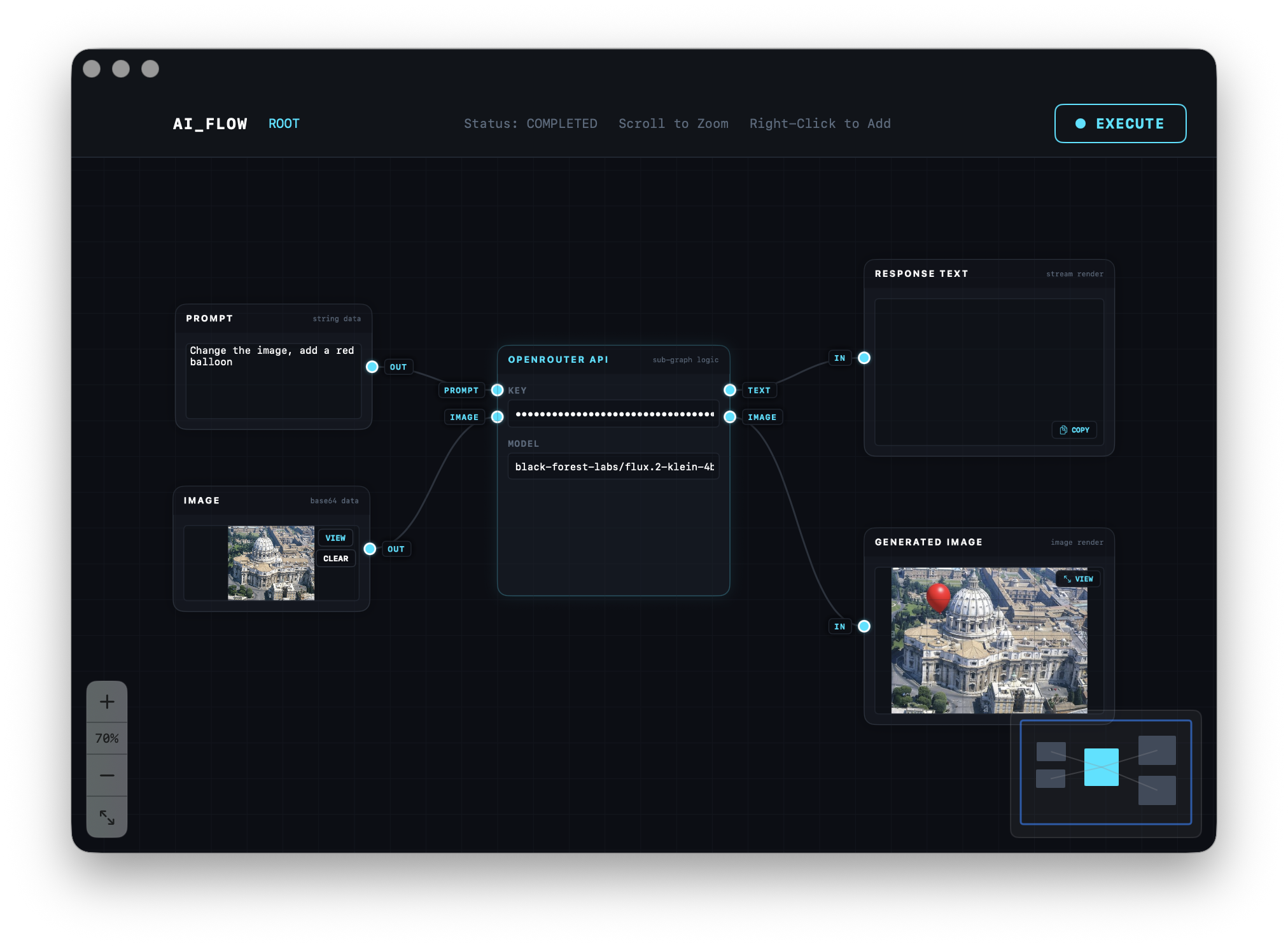
An AI request flow editor with classified outputs, built in under 150 lines of SwiftUI. See the full AI Flow example for source code and setup instructions.